Picture Perfect: The Best Digital Tools for Product Photos That Actually Sell
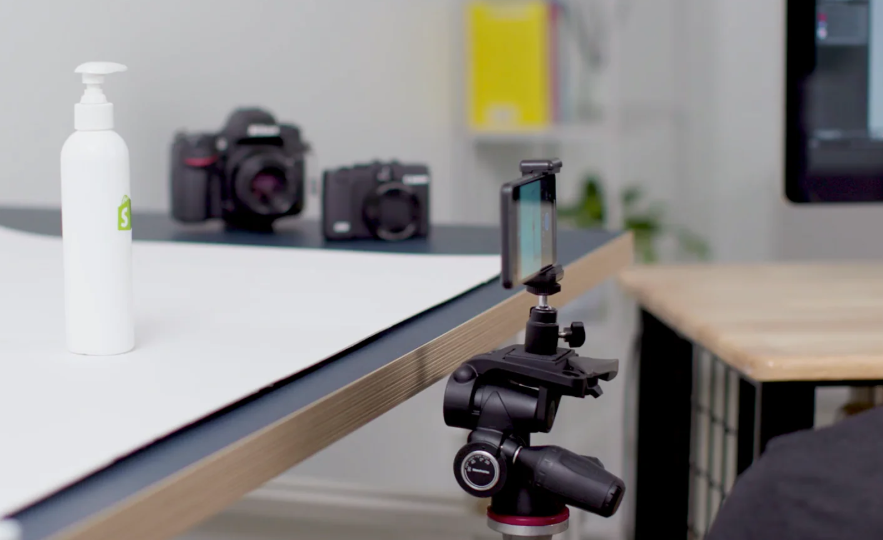
In today’s scroll-happy digital world, a compelling product photo can make or break a sale. Whether you’re a boutique owner, an Etsy seller, or launching your own eCommerce brand, investing time in polished product images is one of the highest ROI moves you can make. The good news? You don’t need a photography studio or a team of designers to make it happen. With the right online tools, you can produce scroll-stopping visuals that elevate your brand — right from your laptop or phone.
Here are essential tools to help you create product photos that shine, plus a bonus FAQ section on photo editing to help you take your visuals even further.
1. Adobe Express: All-in-One Visual Design for Product Creators
Adobe Express is a favorite among small business owners for a reason: it’s intuitive, powerful, and built for creators who want professional results without the learning curve of traditional design software. You can easily remove backgrounds, apply filters, overlay text, and customize templates for social posts, product listings, or promotional emails. Adobe Express also includes brand kits, so you can keep your product images consistent across platforms — whether you’re selling on Instagram or Shopify.
2. Remove.bg: One-Click Background Removal
If you’re taking product photos in your living room or garage (we’ve all been there), Remove.bg is your best friend. This tool automatically removes backgrounds from photos in seconds. It’s ideal for isolating your product and placing it on clean, professional backdrops. You can then upload the image into other design tools to add branding, colors, or other elements. It’s especially helpful for Amazon or eBay sellers who need clean, distraction-free visuals that meet platform requirements.
3. Pixelcut: AI-Powered Product Mockups
Pixelcut is an emerging favorite for entrepreneurs who want to mock up their product in real-life scenarios — without staging elaborate photoshoots. With just a smartphone photo and a few taps, you can place your product into dynamic, lifestyle-inspired backgrounds. The app also offers templates for ads, social media, and storefront banners. It’s perfect for those selling physical goods who want to present their product in a polished, aspirational setting.
4. Snapseed: Powerful Mobile Photo Editing
For business owners who do most of their work on their phones, Snapseed is a free app (developed by Google) that packs a punch. It offers advanced photo editing features like selective adjustments, healing, perspective correction, and pro-level filters. You can fine-tune lighting, contrast, and texture — crucial elements for making your product stand out in a saturated marketplace. Snapseed is especially handy for editing photos on the go, right after a shoot.
5. Luminar Neo: AI-Enhanced Lighting and Details
If you’ve ever struggled with lighting or blurry product shots, Luminar Neo might be your secret weapon. This AI-powered software enhances images automatically by adjusting lighting, removing distractions, and refining fine details. It’s designed for photographers but easy enough for entrepreneurs who just want to make their product shots pop. Use it to retouch shadows, color-correct inconsistencies, and highlight product textures for a richer visual experience.
See also: Technology in 2025: Innovations Driving the Future
🎞️ FAQ: Common Photo Editing Questions from Business Owners
Whether you’re just getting started or want to sharpen your existing process, understanding photo editing can dramatically improve your product photography. Here are some frequently asked questions — and simple answers — to help business owners make the most of their visuals.
Q1: What are some beginner-friendly tools for editing product photos?
For newcomers, Adobe Express, Fotor, and Pixlr are great choices. They offer drag-and-drop interfaces and easy tools for adjusting brightness, cropping, and adding effects. Adobe Express, in particular, is designed for creators who want fast results with professional polish.
Q2: How can I make my product photos look more consistent across platforms?
Use consistent lighting, backgrounds, and aspect ratios. Tools like Adobe Express and Pixelcut allow you to apply branding templates and batch-edit images. This ensures a cohesive visual identity across your website, social channels, and marketplaces like Etsy or eBay.
Q3: What’s the best way to remove the background from a photo?
Remove.bg is the quickest and easiest tool for automatic background removal. Adobe Express also includes a background remover that integrates seamlessly with its other editing features. These tools help your product stand out on clean, distraction-free backdrops.
Q4: Can I do all my photo editing in one place?
Yes — Adobe Express is a strong all-in-one solution that lets you edit image assets, apply filters, adjust contrast, and add text or graphics. It’s ideal for business owners who don’t want to bounce between multiple tools to finish a single photo.
Q5: Are there tools that help with editing for specific sales channels (like Amazon or Instagram)?
Absolutely. Tools like Snapseed and SmartMockups offer templates and export settings optimized for different platforms. Adobe Express includes templates for Instagram, Facebook, and even email headers, so you can design for each channel with just a few clicks.
Creating standout product photos isn’t about having the most expensive camera or the fanciest gear — it’s about using the right tools to bring your product to life visually. From simple background edits to advanced lighting correction, today’s digital tools put powerful editing capabilities in your hands. Start with one or two platforms that align with your workflow, and watch your product visuals — and your conversions — level up.